Documentation
What's New in v5.0
Major Release
- 9 weather API providers — switch with a single property
- .NET 8.0 support — multi-target (Framework 4.6.2+ and .NET 8)
- Open-Meteo — completely free, no API key required
- HttpClient — replaces deprecated WebClient
- Thread-safe — data fetched on background thread, UI updated safely
- Image caching — weather icons cached for performance
- Memory leak fixes — proper Dispose for forms, GPS watcher, images
- Instance-level data — multiple controls on same form work independently
How to Run
Option 1 — Free, no API key: Use Open-Meteo provider. No account needed.
Meteo.Provider = MeteoControl.Meteo.TypeProvider.OpenMeteo
Meteo.EnableMeteo = True ' That's it!
Option 2 — With API key: Sign up at your preferred provider's website, get an API key.
Meteo.Provider = MeteoControl.Meteo.TypeProvider.OpenWeatherMapFree
Meteo.APIKey = "your_api_key_here"
Meteo.EnableMeteo = True
Download NuGet: NuGet MeteoControl
Add the control to your project and you're ready to go.
Customize
You can customize everything.
City
Find a city to get weather forecast.
Meteo.CityAutoLocation = True ' Use Computer Localisation (.NET Framework only)
' Or
Meteo.CityLat = "48.8566" ' Latitude (works on all frameworks)
Meteo.CityLon = "2.3522" ' Longitude
Meteo Settings
Meteo.Provider = MeteoControl.Meteo.TypeProvider.OpenMeteo ' Choose your provider
Meteo.APIKey = "xxxxxxxxxxxxx" ' API Key (not needed for Open-Meteo)
Meteo.EnableMeteo = True ' Start the control
Meteo.TimeInterval = 120 ' Check interval in minutes
Meteo.View = MeteoControl.Meteo.TypeView.OneDay ' Type of View
Meteo.ShowPic = MeteoControl.Meteo.TypeImage.Center ' Icon display mode
Meteo.Units = MeteoControl.Meteo.TypeUnits.Metric ' Imperial / Metric
Picture
There are images in the control, but you can change all the pictures of weather. This control works with animated GIFs. Weather icons are cached for performance.
Translation
Meteo.LangageMeteoData = "fr" ' Return language for weather info (ISO code)
Meteo.Humidity = "Humidite" ' Translation for 'Humidity'
Meteo.Temperature = "Temperature" ' Translation for 'Temperature'
' ... see control properties for all translations
Views
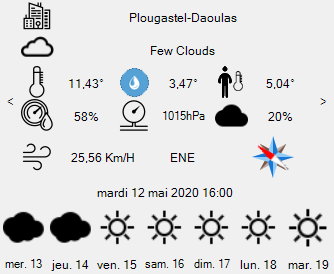
One Day Information
Meteo.EnableDate = True
Meteo.EnableHumidity = True
Meteo.EnablePressure = True
Meteo.EnableTemperature = True
Meteo.EnableTemperatureMinMax = True
Meteo.EnableWindSpeed = True
Meteo.EnableWindCompass = True
Meteo.ViewDelay = 3 ' Delay in seconds
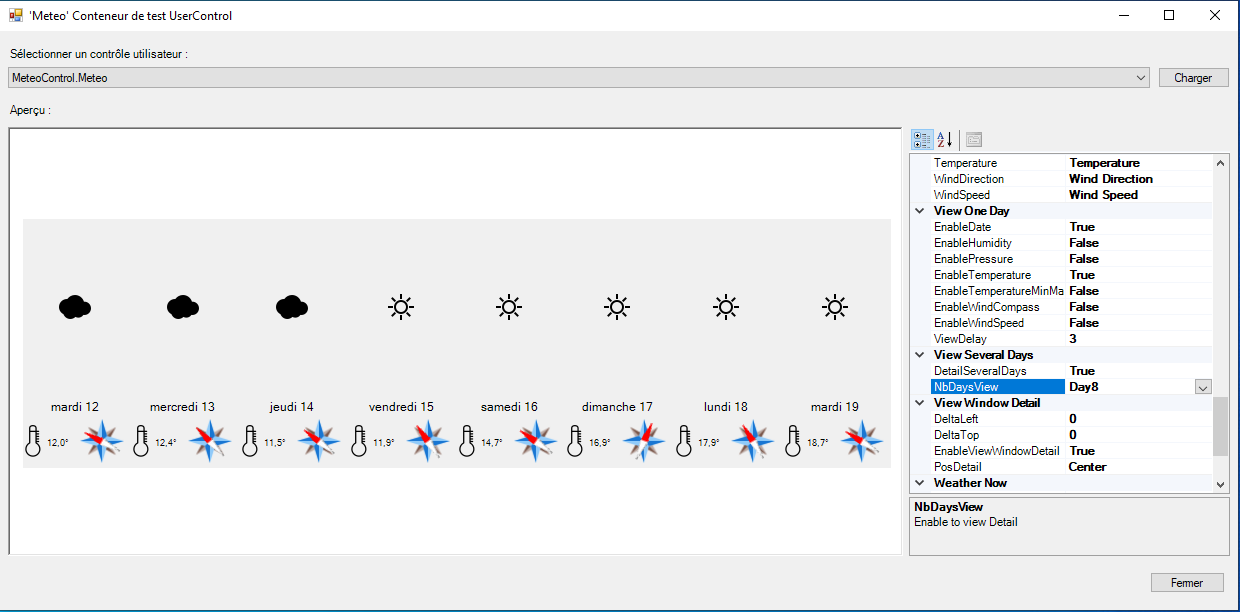
Several Days
Meteo.DetailSeveralDays = True ' Show T° and Wind
Meteo.NbDaysView = MeteoControl.Meteo.MultiViews.Day5 ' Number of days (5 Max)
Detail Window
Displays the weather forecast per 3 hours over 5 days.
Meteo.DeltaLeft = 0 ' Shifts the window in pixels
Meteo.DeltaTop = 0 ' Shifts the window in pixels
Meteo.EnableViewWindowDetail = True ' Click to show day detail
Meteo.PosDetail = MeteoControl.Meteo.TypePosDetail.Center